

If you’re planning your first road trip, one question naturally comes up: Is Roadtrippers free? The answer is yes—but only to a certain extent.
Roadtrippers follows a freemium model, meaning you can start using it without paying, but advanced features require a subscription.
So, Is Roadtrippers free? For beginners, the free version is actually quite helpful. It allows you to plan a route, explore interesting stops like national parks, restaurants, and attractions, and save basic trip details.
For example, if you’re planning a short weekend drive, the free plan is usually enough to map your journey and add a few stops along the way.
According to user experiences, free users can add only a limited number of stops (often around 5–7), which works fine for simple trips but can feel restrictive for longer adventures.
However, when people ask Is Roadtrippers free?, they should also understand the limitations.
The free version does not include offline maps, which can be a big drawback in areas with poor network coverage.
It also limits how many trips you can save and doesn’t offer advanced features like live traffic updates. This is where the paid version, called Roadtrippers Plus, becomes useful.
The premium plan costs roughly $36 to $60 per year and unlocks features like up to 150 stops per trip, offline navigation, and an ad-free experience.
For example, if you’re planning a cross-country road trip in the U.S., having offline maps alone can make a big difference, especially in remote areas.
So, Is Roadtrippers free? Yes, but it’s best suited for casual or first-time users. If you travel occasionally or just want to test the app, the free version is a great starting point.
But if you’re someone who loves detailed planning or takes frequent road trips, upgrading can significantly improve your experience.
In simple terms, start free, explore the features, and upgrade only if your travel needs grow. 🚗
More Read: Is SpeakPal Free to Use?
What is Roadtrippers and how does it work?
Roadtrippers is designed to make road trip planning simple, organized, and more enjoyable.
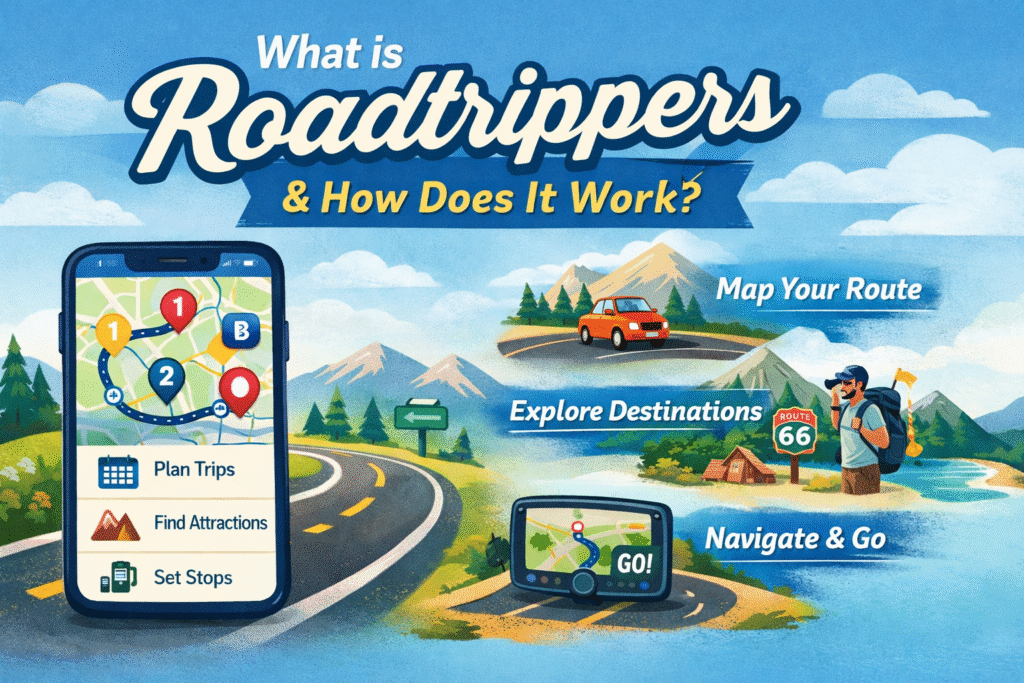
Instead of just navigating from one place to another like traditional map apps, it focuses on helping travelers discover experiences along the journey.
The app has already been used to plan millions of trips covering billions of miles, showing how widely it’s trusted by travelers.
At its core, the purpose of the app is to turn a normal drive into an adventure by helping users explore hidden gems, scenic routes, and interesting stops along the way.
Planning a road trip can feel overwhelming—deciding routes, stops, fuel costs, and timing. This is where Roadtrippers becomes useful. It allows you to build your entire itinerary in one place, including routes, stops, and daily plans.
For example, if you’re traveling from Delhi to Manali (or any long route), you can map your journey, add food stops, hotels, and sightseeing spots—all in one plan.
The app even estimates travel time, distance, and fuel costs, helping you stay within budget.
One of the biggest strengths of Roadtrippers is its feature set:
Route mapping: Create and customize your route visually on a map
Add stops: Include gas stations, hotels, restaurants, and attractions
Smart recommendations: Discover places based on your interests (nature, food, culture, etc.)
Massive database: Access millions of points of interest across different categories
Trip stats: View estimated driving time, mileage, and fuel costs
For instance, the app can suggest “offbeat” places you might never find on Google Maps, making your trip more memorable.
Roadtrippers is available on multiple platforms, making it flexible for users:
Mobile apps: Android and iOS (perfect for on-the-go planning)
Desktop/web version: Ideal for detailed trip editing
What’s even better is that your trips sync automatically between devices, so you can plan on your laptop and navigate using your phone.
This app is suitable for a wide range of users:
Solo travelers: For exploring new places independently
Families: To plan stops, hotels, and kid-friendly attractions
Road trip lovers: Especially those who enjoy long-distance travel
RV travelers: With features like route customization and campsite discovery
In simple terms, if you enjoy the journey as much as the destination, Roadtrippers is built for you. 🚗
More Read: What Is Git Law?
Is Roadtrippers free or paid?
When people ask, Is Roadtrippers free?, the most accurate answer is: it’s partially free.
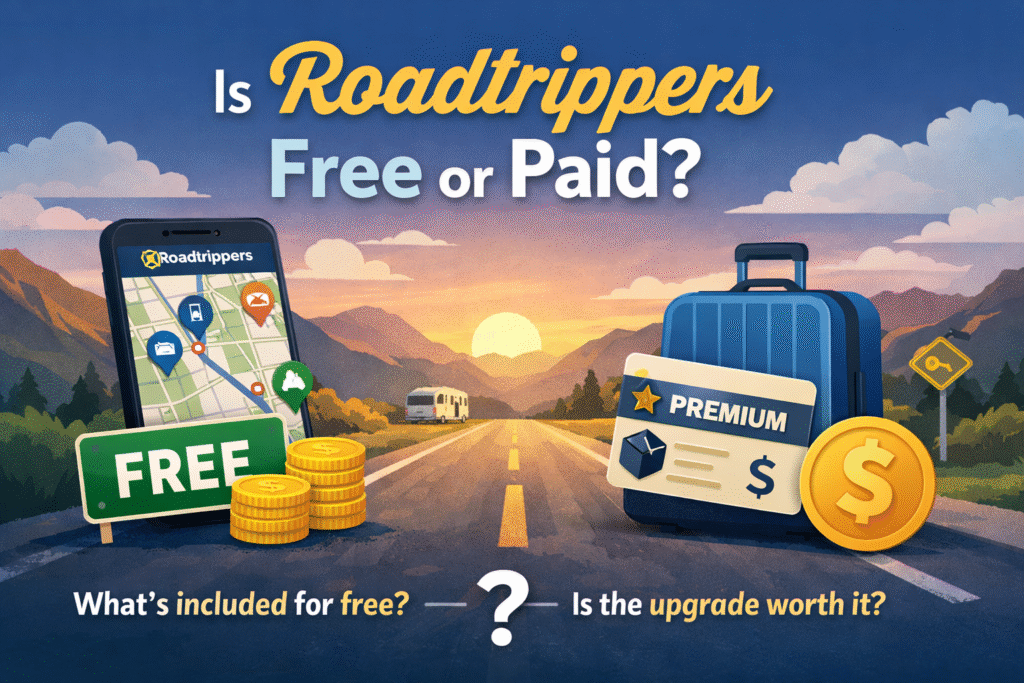
Roadtrippers uses a free + premium (paid) model, which means anyone can download and start using the app without paying, but some advanced features are locked behind a subscription.
The free version gives you access to basic trip planning tools like route mapping and adding a limited number of stops.
However, if you want a more advanced experience—such as unlimited stops, offline maps, or an ad-free interface—you’ll need to upgrade to a premium plan (often called Roadtrippers Plus).
The term freemium is a mix of “free” and “premium.” In simple words, it means:
You can use the app for free at the start
You pay only if you want extra features
Many popular apps follow this model. For example, you can think of it like trying a basic version before deciding whether it’s worth upgrading.
In the case of Roadtrippers, this allows users to explore the app without any risk.
Understanding the difference helps answer the question: Is Roadtrippers free? in a practical way.
Basic (free) users:
Limited stops per trip (often around 5–7)
No offline maps
Limited saved trips
Basic route planning only
Premium subscribers:
Up to 150 stops per trip
Offline maps (useful in low-network areas)
Unlimited trip storage
Extra tools like live traffic and route optimization
For example, a casual traveler planning a short weekend trip may not need more than a few stops.
But someone planning a cross-country journey will likely find the free version too limiting.
You might wonder, Is Roadtrippers free if they want users to pay eventually? The answer lies in strategy. Offering a free version helps:
Attract new users easily
Let people test the app before committing
Build trust with beginners
At the same time, the premium plan generates revenue and supports advanced features.
According to industry trends, apps using freemium models often convert 2–5% of users into paying customers, which is enough to sustain development and improvements.
More Read: Is Kling a Chinese Company? Everything You Need to Know
What do you get with the free version?
With the free version of Roadtrippers, you can create a route between your starting point and destination.
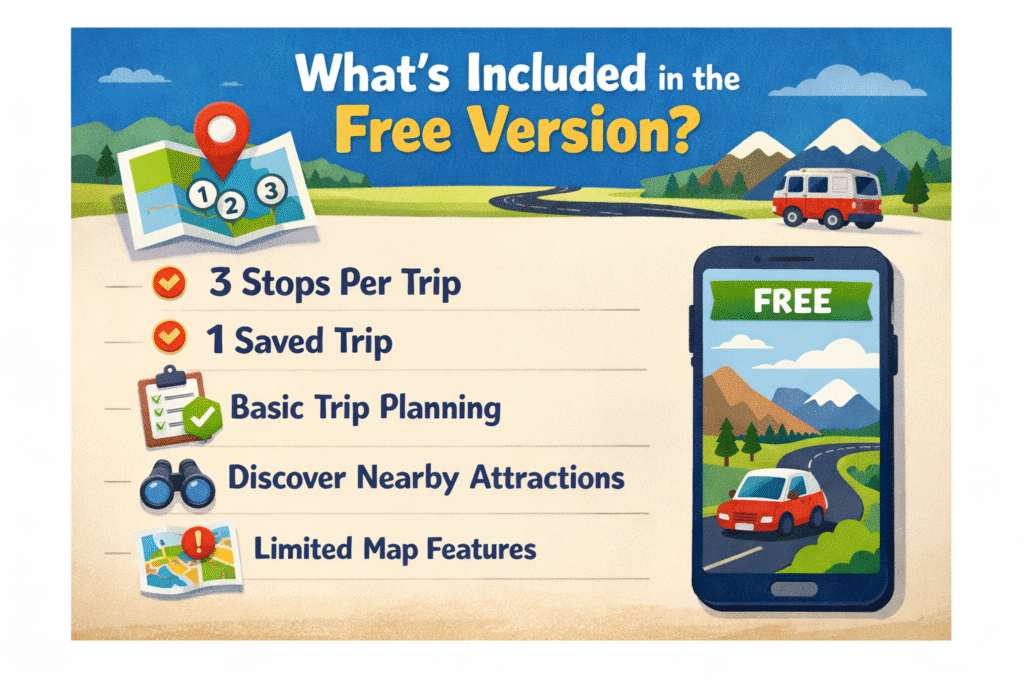
However, you can only add a limited number of stops (typically around 5–7).
This works fine for short trips, like a weekend getaway, but may feel restrictive for longer journeys where you want to explore multiple places along the way.
Free users get access to standard map features, allowing them to view routes, distances, and estimated travel time.
This helps you understand your journey clearly, similar to other navigation apps.
However, features like offline maps are not included, which means you’ll need an internet connection during your trip.
One of the biggest advantages—even in the free version—is the ability to discover attractions. The app suggests:
Restaurants
Scenic viewpoints
National parks
Unique roadside stops
For example, instead of just driving straight, you might find a hidden café or a scenic lake along your route. This is what makes Roadtrippers different from basic map apps.
You can save your planned trips, but there are limits on how many you can store.
This means if you’re planning multiple trips, you may need to delete older ones or upgrade to the premium version for unlimited storage.
So, Is Roadtrippers free enough for your needs? It depends on how you travel. The free version is best for:
Short road trips
First-time users testing the app
Budget travelers
Simple routes with few stops
In real-world use, someone planning a 1–2 day trip with 3–5 stops will find the free plan more than sufficient.
More Read: What is a nano editor?
Limitations of the free version
One of the biggest restrictions is the limit on stops per trip. Free users can typically add only around 5–7 stops, which may be enough for a short journey.
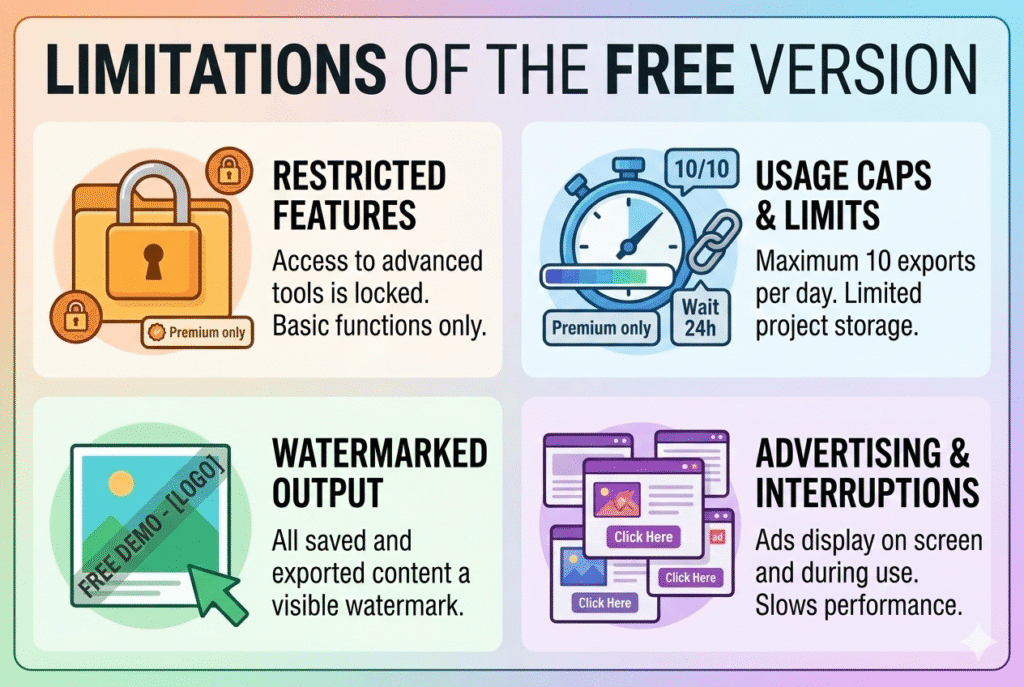
However, for longer trips—like a multi-city road trip—this quickly becomes a limitation.
For example, if you’re planning a 1,000+ km journey, you may want to add fuel stops, food breaks, and attractions, which can easily exceed the limit.
Another major drawback is the lack of offline map access.
This means you need an internet connection to view your route and navigation. In real-world situations, especially in remote or mountainous areas, network coverage can drop.
Without offline maps, it becomes harder to rely on the app during the trip.
The free version offers only basic route planning, with limited customization options. You may not be able to fully optimize routes, reorder stops easily, or adjust your trip in detail.
For travelers who like precise planning, this can feel restrictive.
Some advanced tools are simply not available in the free plan. These may include:
Unlimited saved trips
Live traffic updates
Advanced route optimization
Ad-free experience
These features are designed for premium users, which is why many people reconsider when asking, Is Roadtrippers free?
These limitations usually become noticeable when:
You’re planning long-distance trips
You need multiple stops and detailed itineraries
You’re traveling in low-network areas
You want a smooth, ad-free experience
For example, a traveler planning a cross-country road trip with 10–15 stops will likely find the free version too limited.
More Read: What is a Nano Editor?
Roadtrippers Plus: Is it worth upgrading?
If you’ve been asking Is Roadtrippers free?, the premium version is where the app truly unlocks its full potential.
The paid plans (Basic, Pro, and Premium) are designed for travelers who want more control, flexibility, and advanced tools for planning detailed trips.
The Premium plan gives full access to all features, including advanced route planning, offline navigation, and enhanced trip customization.
One important thing to know is that Roadtrippers mainly offers yearly subscriptions, not monthly plans. This is different from many apps.
Basic: around $35.99/year
Pro: around $49.99/year
Premium: around $59.99/year
Some promotions may lower the price (even close to $30/year), but generally, users commit annually.
With the premium plan, you can add up to 150 stops per trip, compared to just a few in the free version. This is especially useful for long journeys or cross-country travel.
One of the most valuable features is offline maps, allowing you to download routes and use them without internet—perfect for remote areas or mountains.
Premium users can access real-time traffic data, helping avoid delays and optimize routes while traveling.
Your trips automatically sync across mobile and desktop, so you can plan on your laptop and continue on your phone seamlessly. This improves flexibility and convenience, especially for long-term planning.
So, Is Roadtrippers free enough, or should you upgrade? The premium plan is best for:
Frequent travelers who take multiple trips per year
Long-distance road trippers needing many stops
RV travelers who require detailed routing and offline access
Planners who want full control over routes and trip details
For example, someone planning a multi-state or cross-country trip with 20+ stops will find the premium version far more efficient and time-saving.
More Read: What is the meaning of the word reap?
Free vs paid: Key differences explained simply
📊 Side-by-side comparison (table idea)
| Feature | Free Version | Paid Version |
| Stops per trip | 3–7 stops | Up to 150 stops |
| Offline access | ❌ Not available | ✅ Available |
| Route flexibility | Basic only | Advanced customization |
| Saved trips | 1 trip limit | Unlimited (Premium) |
| Ads | Present | Ad-free |
👉 For example, official data shows free users can have as few as 3 stops per trip, while Premium users can plan up to 150 stops in one journey.
The biggest difference is the number of stops. In the free version, you’re limited to just a few stops, which works fine for short trips.
But with the paid version, you can plan detailed routes with dozens—or even hundreds—of stops.
Another key factor when asking Is Roadtrippers free? is offline usability.
Free version: Requires internet at all times
Paid version: Lets you download maps and use them offline
This is especially important for remote areas where network coverage is weak.
Free users get basic route planning, but editing routes or optimizing stops is limited. Paid users, on the other hand, get:
Advanced route customization
Auto-routing tools
Better control over trip structure
Imagine you’re planning a 2-day weekend trip with 3–4 stops.
In this case, the free version works perfectly—you can map your route and explore a few attractions easily.
Now consider a cross-country road trip with 20+ stops.
Here, the free version quickly becomes restrictive. You’ll either need to split your trip into smaller parts or upgrade to access full planning features.
More Read: How to Up My Unearther Level Fast: Smart Strategies for Quick Progress
Pros and cons of using Roadtrippers
One of the biggest strengths of Roadtrippers is how simple it makes planning. You can create a full route in minutes by entering your start and end points.
The app automatically calculates distance, time, and even fuel estimates, which saves a lot of manual effort. For beginners, this makes trip planning far less stressful.
Unlike regular navigation apps, Roadtrippers focuses on exploration. It suggests unique stops like scenic viewpoints, local restaurants, roadside attractions, and national parks.
For example, instead of just driving straight, you might discover a hidden waterfall or a popular local café along your route. This feature is a big reason why many travelers love the app.
The app is designed with a clean and simple interface, making it easy to use even for first-time users.
You can visually see your route, drag and adjust stops, and organize your trip without needing technical skills. This is especially helpful for families or casual travelers.
When asking Is Roadtrippers free, you’ll quickly notice that the free version comes with restrictions.
Limited stops (around 3–7), no offline maps, and fewer customization options can make it less useful for longer trips. This is one of the biggest drawbacks.
While the premium version unlocks powerful features, it comes at a cost—usually around $36–$60 per year.
For occasional travelers, this may feel unnecessary, especially when free alternatives like Google Maps exist.
Although the interface is simple, some users may still need time to fully understand all features—especially route customization and trip organization.
For first-time users, it might take a few tries to get comfortable with the app.
So, Is Roadtrippers free? Yes—but whether it’s enough depends on your needs.
The app is excellent for discovering places and planning trips easily, but the limitations of the free version may push frequent travelers toward the paid plan. 🚗
Tips to make the most of the free version
Instead of creating one long, complex trip, break your journey into smaller segments. Since the free version limits stops, planning day-by-day routes helps you stay within those limits while still covering all destinations.
With limited stops available, focus only on essential places—like top attractions, important rest stops, or key destinations. This ensures you don’t waste slots on less important locations.
Roadtrippers is great for planning, but for navigation, combine it with apps like Google Maps or Waze. These apps provide real-time traffic updates and turn-by-turn directions, which the free version lacks.
Since you can only save a limited number of trips, reuse and edit existing plans instead of creating new ones. You can also keep backup notes outside the app (like in documents) to avoid losing your ideas.
To overcome limitations, pair Roadtrippers with other tools. For example:
Use Roadtrippers for discovering places and planning routes
Use navigation apps for directions and traffic
Use booking apps for hotels and reservations
Who should use the free version?
If you only take trips a few times a year, the free version is more than enough. You likely won’t need dozens of stops or advanced tools.
For example, someone planning 2–3 trips annually can easily manage with the basic features without paying for a subscription.
The free plan works best for short journeys or weekend getaways. Since you can only add a limited number of stops (around 3–7), it’s perfect for trips under a few hundred kilometers.
For instance, a one-day road trip with 2–4 stops fits perfectly within the free plan’s limits.
If you’re trying to save money, the free version is a great starting point. Instead of paying $36–$60 per year, you can still access route planning and attraction discovery without spending anything. Many users combine it with free navigation apps to avoid extra costs.
For beginners, the free version is ideal to explore and understand how the app works.
Before committing to a paid plan, you can test features like route creation, adding stops, and discovering places. This helps you decide whether upgrading is worth it.
More Read: What Is Content at Scale? Strategy, Benefits, and Implementation Guide
Who should upgrade to Roadtrippers Plus?
If you travel multiple times a year, the premium version is worth it. Frequent travelers often plan several routes, save multiple trips, and revisit their itineraries.
The free version’s limits on stops and saved trips can quickly become frustrating. With premium, you get unlimited planning flexibility, which saves time in the long run.
For those planning long journeys—like cross-country or multi-city trips—the free version simply isn’t enough.
A long trip can easily require 10–20+ stops, including fuel stations, hotels, and attractions. Premium allows up to 150 stops per trip, making it much more practical for detailed planning.
RV travelers and adventure seekers benefit the most from upgrading. These users often travel through remote areas and need:
Detailed route customization
Campsite and stop planning
Reliable navigation in low-signal areas
The premium features make it easier to manage complex routes and extended journeys.
One of the biggest reasons to upgrade is offline maps. If you’re traveling in areas with poor internet connectivity—such as mountains, highways, or rural regions—you won’t be able to rely on the free version.
Premium allows you to download maps and use them without a connection, which is crucial for uninterrupted travel.
Common questions about Roadtrippers pricing
Yes, Roadtrippers offers a 7-day free trial for its premium plan. During this period, you get full access to all premium features like unlimited stops, offline maps, and advanced trip planning tools.
However, you’ll need to enter payment details to start the trial, and you’ll be charged automatically once the trial ends—unless you cancel in time.
Yes, you can cancel your subscription or trial at any time, but there’s an important condition. You must cancel at least 24 hours before the trial or billing period ends to avoid being charged.
Even after canceling, you’ll still have access to premium features until the current period expires, which is helpful if you want to finish planning your trip.
Roadtrippers pricing is generally standardized in USD, with plans typically ranging from about $35.99 to $59.99 per year, depending on the tier.
However, the final price may vary slightly depending on:
App Store or Google Play regional pricing
Currency conversion rates
Local taxes or fees
So while the base price is consistent, what you actually pay can differ by country.
Yes, there are occasional promotions and offers, such as:
Introductory pricing for new users
Seasonal discounts or promo codes
Limited-time deals without a free trial
Some promotions may replace the free trial with a discounted annual plan, so it’s always worth checking before subscribing.
Alternatives to Roadtrippers
Google Maps is one of the most widely used navigation apps—and it’s completely free. It offers:
Turn-by-turn navigation
Accurate directions worldwide
Business listings, reviews, and photos
It’s ideal for everyday travel and simple road trips. However, it doesn’t focus as much on trip planning and discovery as Roadtrippers does.
Waze is perfect if your priority is avoiding traffic. It provides:
Live traffic updates
Alerts for accidents, police, and road hazards
Community-driven data
This makes it great for daily commuting or busy highways, but it’s not designed for planning multi-stop road trips.
Sygic is a strong choice for travelers who need offline access. It offers:
Downloadable maps for offline use
GPS navigation without internet
Premium features like speed limit warnings
It’s especially useful for international travel or remote areas, where connectivity is limited.
You might want to use alternatives if:
You need completely free navigation without limits
Your priority is real-time traffic updates (Waze is better)
You require offline navigation without paying (Sygic or Google Maps downloads)
You’re not planning complex, multi-stop trips
Final verdict: Should you use the free version?
The free version of Roadtrippers gives you a solid starting point for planning trips. You can map routes, discover attractions, and organize basic itineraries.
However, it comes with strict limits—like only 3 stops per trip and 1 saved trip in some plans .
The premium version unlocks powerful tools like up to 150 stops, offline maps, and unlimited trips, making it far more useful for detailed travel planning .
The free version works well if you:
Take short or occasional trips
Only need a few stops (2–5)
Want to explore the app before paying
Prefer combining it with other free apps
For example, a weekend trip with 2–3 destinations can easily be planned without upgrading.
Upgrading is worth it if you:
Plan long-distance or multi-stop trips
Travel frequently throughout the year
Need offline maps in low-network areas
Want advanced features like live traffic and route optimization
In fact, premium plans allow up to 150 stops per trip, which is essential for cross-country or RV travel .
If you’re new, start with the free version and test it first. It helps you understand how the app works without spending anything. Then, if you feel limited—especially by stop restrictions or lack of offline access—consider upgrading or trying the 7-day free trial.