
What is Adobe Firefly? Simply put, it’s Adobe’s AI-powered creative tool designed to help designers, marketers, and content creators generate stunning visuals in a fraction of the time traditional methods require.
Launched as part of Adobe’s Creative Cloud ecosystem, Firefly uses generative AI to produce images, graphics, and text effects based on simple prompts.
According to Adobe, over 75% of designers report that AI tools like Firefly have significantly sped up their creative process, making it easier to turn ideas into polished visuals quickly.
One of the biggest advantages of Adobe Firefly is its role in accelerating design workflows.
Traditionally, creating digital art, social media graphics, or marketing assets required hours of manual work, from sketching to editing and layering.
Firefly allows users to generate ready-to-use designs in minutes, whether it’s a unique background for a website, a stylized illustration, or a marketing banner.
For example, a freelance designer can create multiple variations of a social media post in under 10 minutes—something that might have taken hours without AI.
Businesses have reported that using Firefly has reduced content production time by up to 50%, freeing up teams to focus on strategy and storytelling.
What sets Adobe Firefly apart from other AI tools is its seamless integration with Adobe Creative Cloud apps like Photoshop, Illustrator, and After Effects.
Users can generate a concept in Firefly and then fine-tune it in Photoshop or Illustrator without losing quality or design fidelity.
Knowing What is Adobe Firefly helps creators understand how AI can complement their existing workflow rather than replace their skills.
Additionally, Firefly’s AI models are trained on responsibly sourced content, reducing copyright concerns while maintaining high-quality outputs.
In short, What is Adobe Firefly? It’s a revolutionary creative assistant that transforms how designers, marketers, and content creators work.
By accelerating workflows, cutting production time, and integrating seamlessly with existing tools, Firefly makes it easier than ever to bring imaginative ideas to life.
For those looking to stay competitive in today’s fast-paced digital world, understanding What is Adobe Firefly is no longer optional—it’s essential.
More Read: What LLM Does Replit Use?
Exploring the Core Features of Adobe Firefly
One of the standout capabilities of Adobe Firefly is text-to-image generation, which allows users to create visuals simply by typing a description.
For example, a designer can type “sunset over a mountain lake with soft clouds” and Firefly generates a realistic image in seconds.

Combined with features like background removal and style transfer, this makes the tool incredibly versatile.
Background removal lets users isolate subjects instantly, saving hours of painstaking manual editing, while style transfer can transform an image’s look to match a specific artistic style, such as watercolor, comic book, or modern minimalism.
These features empower both beginners and professionals in unique ways.
For beginners, Firefly removes the steep learning curve associated with traditional design software.
A small business owner without Photoshop experience can create professional-looking marketing materials, social media posts, or digital illustrations in minutes.
For example, a coffee shop owner could quickly generate a branded Instagram post with seasonal imagery using just a text prompt.
This democratization of creativity helps anyone produce high-quality content without extensive design training.
For professionals, Adobe Firefly enhances efficiency and experimentation.
Graphic designers, marketers, and digital artists can generate multiple iterations of a concept in minutes, explore different artistic directions, and integrate these outputs directly into Adobe Creative Cloud apps like Illustrator or Photoshop.
According to Adobe, creative teams using Firefly reported a 30–50% reduction in content production time, allowing more focus on strategy, storytelling, and client engagement.
Knowing What is Adobe Firefly helps professionals understand how AI can act as a creative partner rather than a replacement.
Overall, Adobe Firefly’s combination of text-to-image generation, background removal, and style transfer makes it a powerful tool for anyone looking to create visual content quickly and effectively.
Whether you’re just starting out or a seasoned professional, understanding What is Adobe Firefly means unlocking new creative possibilities, faster workflows, and the freedom to experiment with ideas that might have been too time-consuming or complex before.
Also Read: Can I Delete Older Luminar Neo Backups? Complete Guide for Safe Cleanup
How Adobe Firefly is Changing Creative Workflows
One of the most powerful aspects of Adobe Firefly is its integration with Adobe Creative Cloud apps like Photoshop, Illustrator, and After Effects.
This seamless connection allows users to generate AI-powered visuals in Firefly and then fine-tune them in professional-grade software without losing quality.

For instance, a designer can create a unique background in Firefly, export it to Photoshop for detailed edits, or bring it into After Effects to animate elements for video content.
This integration streamlines workflows and keeps all creative assets connected in one ecosystem.
Adobe Firefly has already been leveraged in numerous real-world applications, including marketing campaigns, social media graphics, and digital art.
Brands can quickly produce eye-catching visuals for Instagram or Facebook ads without relying on lengthy design processes.
For example, a fashion brand could generate multiple outfit-themed graphics for seasonal promotions in minutes, while a content creator might use Firefly to produce unique illustrations for YouTube thumbnails.
According to Adobe, businesses using AI tools like Firefly report up to a 50% increase in content output, enabling faster campaign rollouts and consistent visual branding.
This integration also benefits freelance designers and small creative teams who may lack large budgets or extensive resources.
By combining Firefly’s AI capabilities with Creative Cloud apps, they can compete with larger agencies, producing professional-quality visuals efficiently.
Understanding What is Adobe Firefly helps creatives see how AI can complement their existing tools, allowing them to experiment with styles, layouts, and ideas that would have taken hours or even days to produce manually.
In short, Adobe Firefly doesn’t just generate content—it enhances and accelerates the creative process by working hand-in-hand with Adobe’s professional software.
From social media posts to animated videos and digital artwork, knowing What is Adobe Firefly empowers both individuals and teams to bring ideas to life faster, more efficiently, and with greater creative freedom than ever before.
Benefits of Using Adobe Firefly for Designers and Marketers
One of the biggest reasons Adobe Firefly has quickly become a go‑to tool for creators is its ability to save time, increase accessibility, and fuel idea generation.
Traditional design workflows often involve hours of manual layout, editing, and revisions—but with Firefly’s AI‑powered tools, users can generate high‑quality visual assets in seconds by typing a simple prompt.

This means marketers, small business owners, and solo creators can focus more on strategy and storytelling rather than repetitive design tasks, making their creative process highly efficient.
Accessibility is another major benefit. Not everyone has advanced skills in software like Photoshop or Illustrator, but Firefly lowers the barrier to entry by offering intuitive tools like text‑to‑image generation, background removal, and style transfer.
This allows beginners to produce professional‑looking visuals without years of training.
For example, a local café owner might generate custom seasonal graphics for social media in minutes, whereas in the past they would have had to hire a designer or struggle with complicated software.
In terms of idea generation, Adobe Firefly acts as a creative partner.
When users aren’t sure where to start, Firefly’s AI can provide multiple visual concepts based on a single prompt—often sparking new ideas that wouldn’t have emerged otherwise.
Professional designers also use it for brainstorming, generating dozens of variations of a concept before choosing the perfect direction.
This blend of AI assistance and human creativity helps bridge imagination and execution more smoothly than ever.
Real‑world stats show how rapidly tools like Firefly are being adopted: over 50% of creative professionals reported using AI in their workflows in 2025, up from just 18% in 2022.
Companies that adopt AI‑assisted design report faster turnaround times and higher content output.
Understanding What is Adobe Firefly reveals why many organizations now include it as part of their core creative toolkit—it’s not just a novelty, but a transformative resource that boosts productivity and creativity.
By harnessing its time‑saving features and accessibility, users at every skill level can produce stunning visuals faster and more effectively.
More Read: Which AI Is Best for Roasting? A Complete Guide to Savage AI Humor
Getting Started: How to Use Adobe Firefly Effectively
For beginners wondering What is Adobe Firefly, getting started is simpler than it seems.
First, create or log into your Adobe Creative Cloud account and open Firefly.
Start by choosing the type of content you want to generate—images, text effects, or vectors. Next, input a clear, detailed prompt describing what you want to see.
For example, instead of typing “cat,” write “a playful orange tabby cat sitting on a cozy windowsill with sunlight streaming in.” Specific prompts produce higher-quality outputs.
Once your prompt is ready, select any style, mood, or color preferences if desired, then click “Generate.” Firefly will produce multiple variations in seconds.
Beginners should review the generated results and choose the one that best fits their vision. If necessary, refine the prompt or adjust the settings to get closer to the desired outcome.
This iterative process allows users to learn quickly and produce polished visuals without prior design expertise.
Best practices for generating high-quality AI content include being specific with prompts, using reference images for style matching, and experimenting with Firefly’s filters and style transfer tools.
Professionals recommend starting simple, then gradually adding complexity to prompts.
Additionally, always check resolution and aspect ratio settings before exporting to ensure the content fits the intended use, whether it’s for social media, a website, or print materials.
Another tip for beginners is to combine Firefly’s outputs with other Adobe Creative Cloud tools like Photoshop or Illustrator.
For instance, you can generate a base illustration in Firefly and then enhance it in Photoshop with textures, lighting adjustments, or typography.
Understanding What is Adobe Firefly and applying these best practices helps users produce professional-quality content faster, improves creative confidence, and ensures the AI-generated visuals are both original and impactful.
Also Read: Is Medisearch Free? A Complete Guide for Users
The Future of Adobe Firefly in Creative Industries
As Adobe continues to innovate, one big question on many creators’ minds is, What is Adobe Firefly becoming next? Adobe has already begun rolling out new features that expand its generative AI capabilities beyond simple image creation.
Upcoming updates are expected to include more advanced text generation tools, deeper integration with Adobe Express for marketing content, and enhanced 3D asset creation for use in AR/VR projects.
Early reports suggest that Firefly will soon support real‑time collaborative editing, allowing teams to brainstorm and generate visuals together, much like cloud‑based document editing.
These innovations aim to make Adobe Firefly more than just a creative assistant—it will become a core engine for rapid ideation and production.
According to industry analysts, generative AI tools are projected to account for more than 40% of enterprise creative workflows by 2028, up from about 15% in 2024.
This trend highlights how integral AI will become in marketing, design, and media industries. Understanding What is Adobe Firefly today gives creators a leg up as these tools evolve to handle increasingly complex tasks.
Looking ahead over the next five years, predictions for AI‑assisted design point toward even greater automation and personalization.
Experts forecast that AI models will be capable of generating full multi‑asset campaigns—including images, videos, ad copy, landing pages, and social content—based solely on a few descriptive parameters.
This could reduce project turnaround times from weeks to hours for many businesses.
We may also see AI systems that adapt styles dynamically based on audience engagement data, optimizing visuals in real time for better performance.
Further into the future, AI‑powered design tools like Firefly may become voice‑activated or work directly from conversational prompts, blurring the line between ideation and execution.
Creators may simply describe their intention out loud, and the AI will generate polished drafts ready for refinement.
As this evolution unfolds, asking What is Adobe Firefly today becomes more than a curiosity—it becomes the first step in mastering the tools that will define creative work in the years to come.
Conclusion
In today’s fast-paced digital world, understanding What is Adobe Firefly has become essential for modern creatives.
This AI-powered tool not only accelerates design workflows but also empowers both beginners and professionals to generate high-quality visuals quickly.
From text-to-image generation to background removal and style transfer, Firefly provides a suite of features that make producing marketing graphics, social media content, and digital art more accessible than ever.
Beyond saving time, Firefly enhances creativity by offering a platform for experimentation and idea generation.
Real-world stats show that over 50% of creative professionals adopted AI-assisted tools by 2025, reporting faster content production and more innovative outputs.
By integrating seamlessly with Adobe Creative Cloud apps like Photoshop, Illustrator, and After Effects, Firefly allows creators to refine AI-generated assets without losing quality or workflow efficiency.
Additionally, knowing What is Adobe Firefly prepares creatives for the future of design.
Upcoming features like real-time collaborative editing, 3D asset creation, and AI-driven multi-asset campaigns point to a world where AI becomes a core partner in the creative process.
By familiarizing themselves with Firefly now, designers, marketers, and digital artists position themselves to take full advantage of these innovations as AI continues to reshape the industry.
In summary, Adobe Firefly is more than just an AI tool—it’s a transformative platform that saves time, democratizes design, and expands creative possibilities. For anyone involved in digital content creation, understanding What is Adobe Firefly is no longer optional; it’s a vital step toward staying competitive, efficient, and innovative in a world where AI-powered creativity is quickly becoming the norm.
1. What is Adobe Firefly?
Adobe Firefly is a generative AI platform by Adobe that creates images, videos, audio, and graphics from text prompts.
2. Is Adobe Firefly free to use?
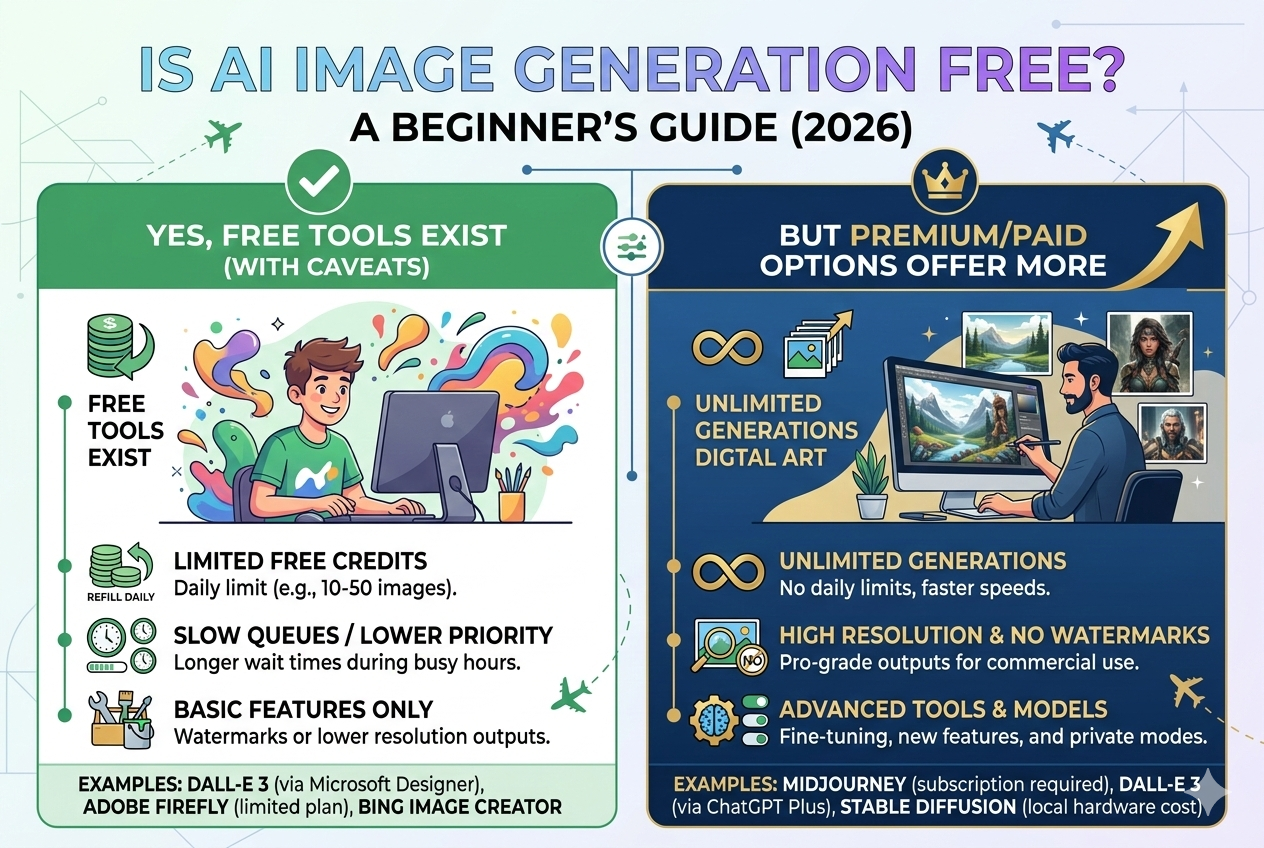
Adobe Firefly offers a free plan with limited generative credits, along with paid plans that provide more features and usage.
3. What can Adobe Firefly create?
Adobe Firefly can generate images, vector graphics, text effects, videos, audio, and other creative assets.
4. Is Adobe Firefly safe for commercial use?
Yes, Adobe Firefly is designed to generate commercially safe content for professional projects.
5. Does Adobe Firefly work with Photoshop and Illustrator?
Yes, Adobe Firefly features are integrated into apps like Photoshop, Illustrator, Premiere Pro, and Adobe Express.
6. How does Adobe Firefly work?
Adobe Firefly uses generative AI models that transform text prompts into visual and multimedia content.
7. Can beginners use Adobe Firefly?
Yes, Adobe Firefly is user-friendly and suitable for beginners as well as professional designers.
8. What are generative credits in Adobe Firefly?
Generative credits are monthly limits that determine how much AI content you can create.
9. Can Adobe Firefly edit existing images?
Yes, Adobe Firefly can edit images by adding, removing, or modifying elements using AI tools.
10. Where can I access Adobe Firefly?
Adobe Firefly is available via the web and inside Adobe Creative Cloud applications.